
Fix Lag & Network Issues with WARP Or VPN
Is your game stuttering, lagging, or disconnecting? Cloud gaming requires a stable and direct route to the server. Sometimes, standard internet routing takes a “long path,” causing high latency (ping).
The most effective fix is rerouting your connection. You can do this by using Cloudflare WARP or any other VPN service.
📥 Download Cloudflare WARP
Before setting it up, make sure you have the app installed:
- Google Play Store: Download 1.1.1.1 + WARP
- Direct APK Download: Download APK File
The Solution: Enable WARP
Many users mistake standard “1.1.1.1 DNS” for the full connection optimizer. For cloud gaming, DNS alone is not enough—you need the WARP tunnel (or a VPN) to optimize the data path.
Step 1: Open Settings
Open the 1.1.1.1 app on your device.
Step 2: Select WARP (Not DNS Only)
Go to the app settings and make sure you select 1.1.1.1 with WARP. Do not select “1.1.1.1 only”.
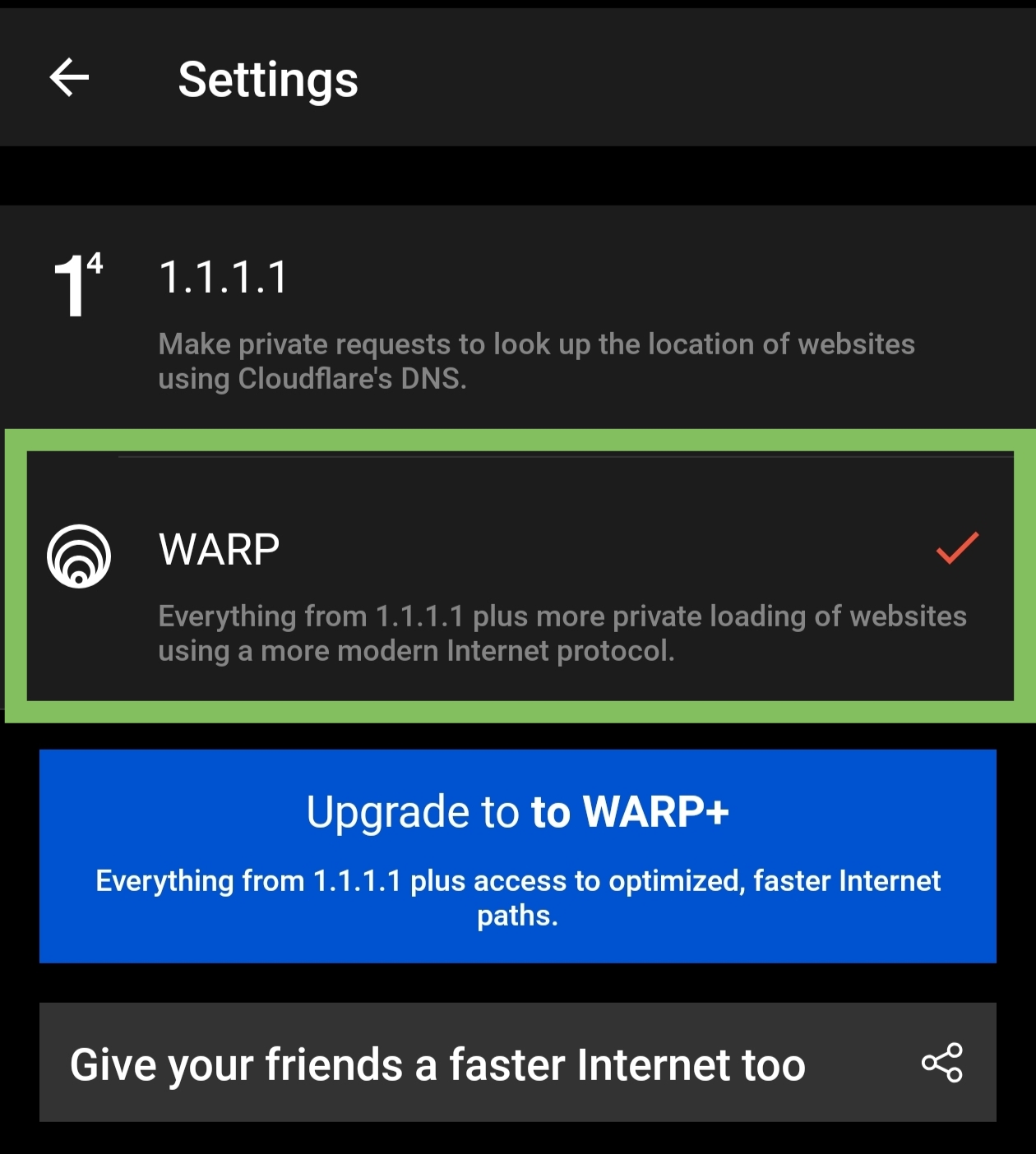 Ensure the toggle indicates WARP. This optimizes the actual traffic route.
Step 3: Connect & Play
- Turn the toggle ON.
- Open the Planet Cloud Gaming app.
- Connect to your server again, or if you were already playing, resume your session.
You should notice a significant drop in latency and a smoother video stream immediately!